
Editing choice for 5000+ companies worldwide.
Key Features

Unlock the Power of Predictive Insights

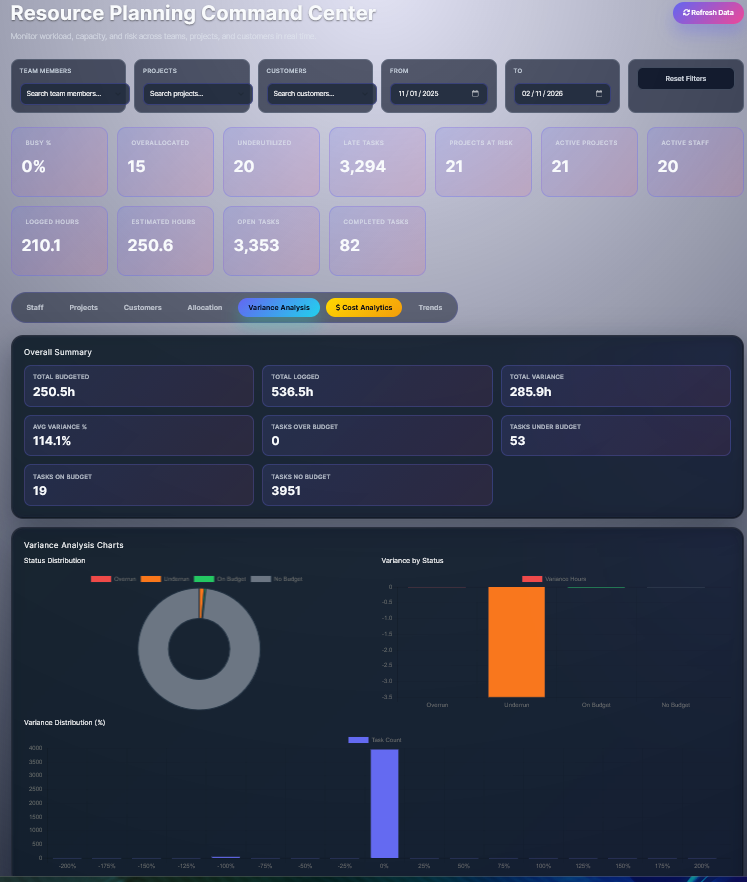
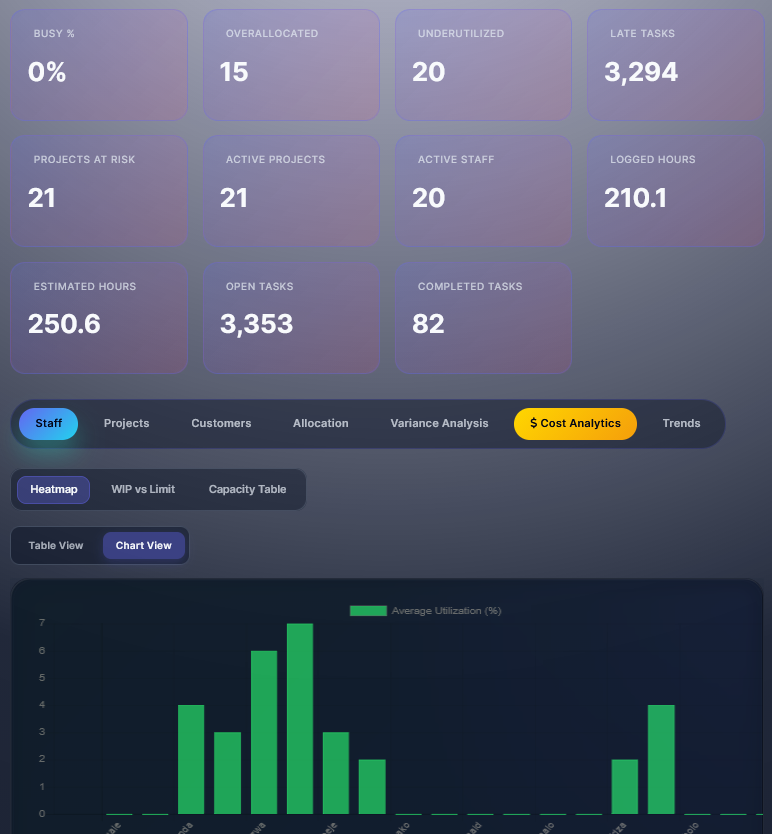
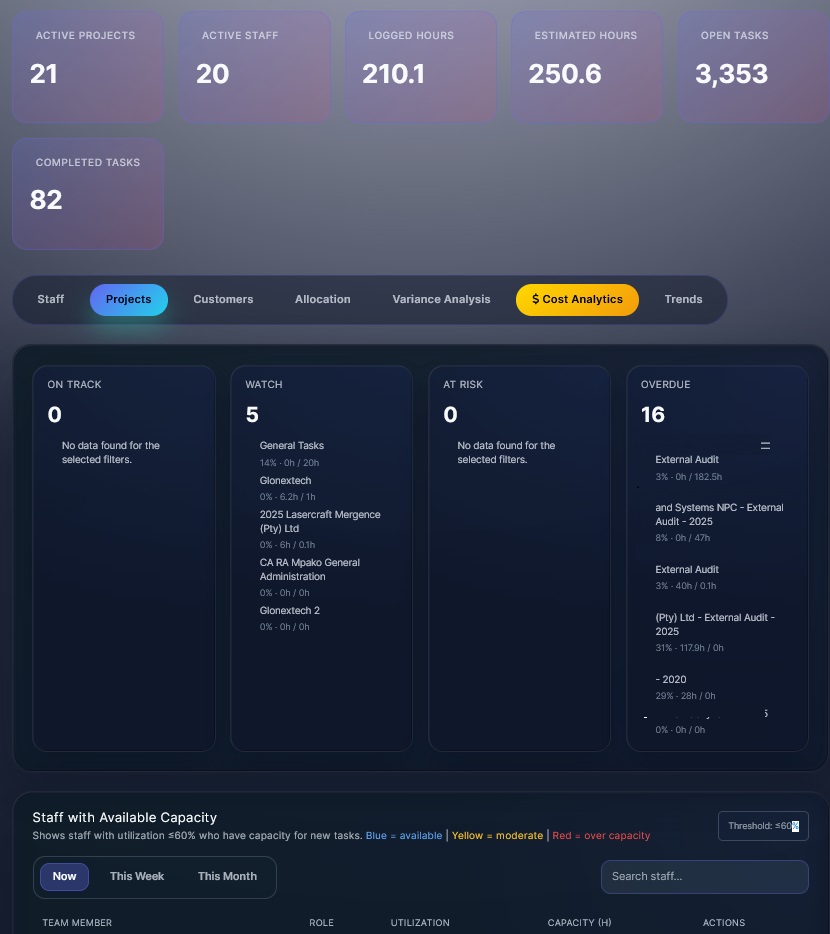
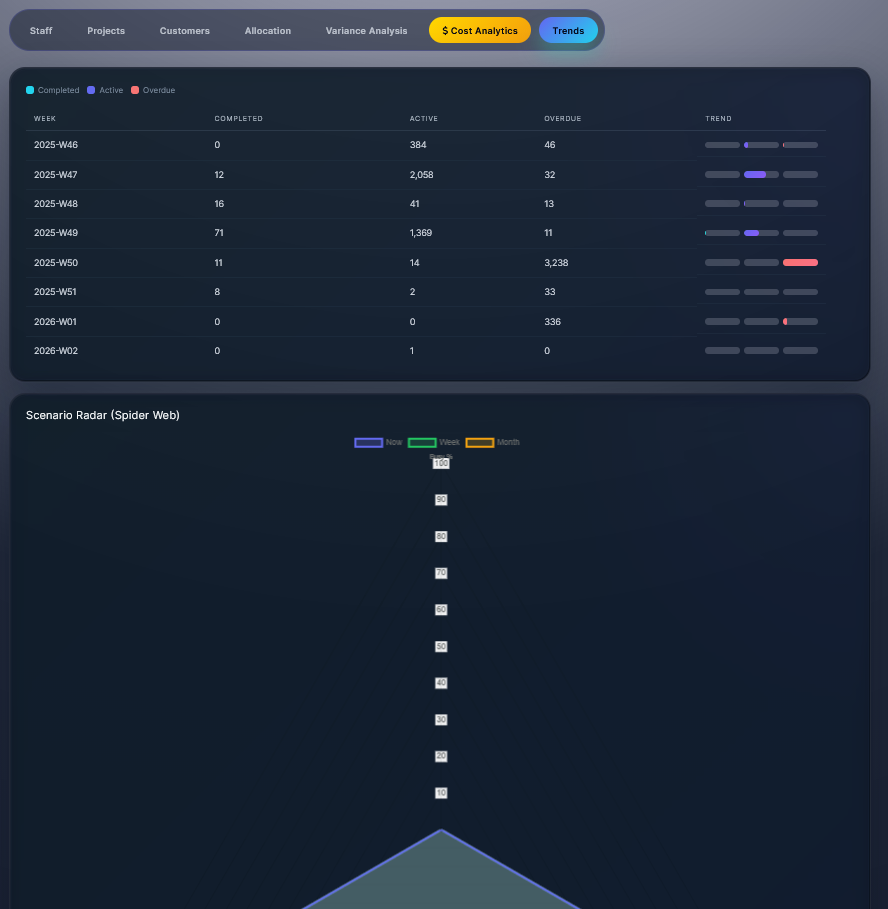
The real power of contrasting budgeted hours with timesheet actuals lies not in reporting alone, but in enabling effective variance analysis. By providing both historical trends and real-time visibility, this comparison fuels predictive modeling to forecast cost/time overruns, sharpen estimation accuracy, and optimize workforce planning — ultimately converting lessons from the past into better decisions for the future.

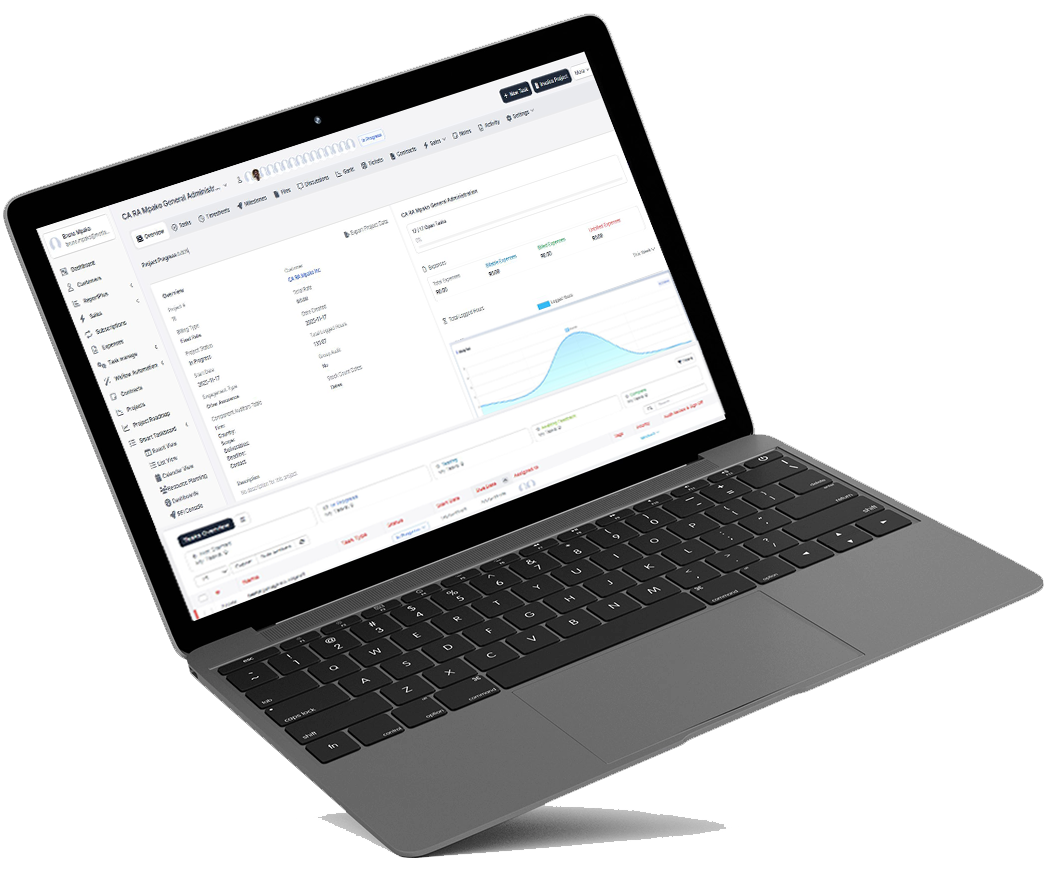
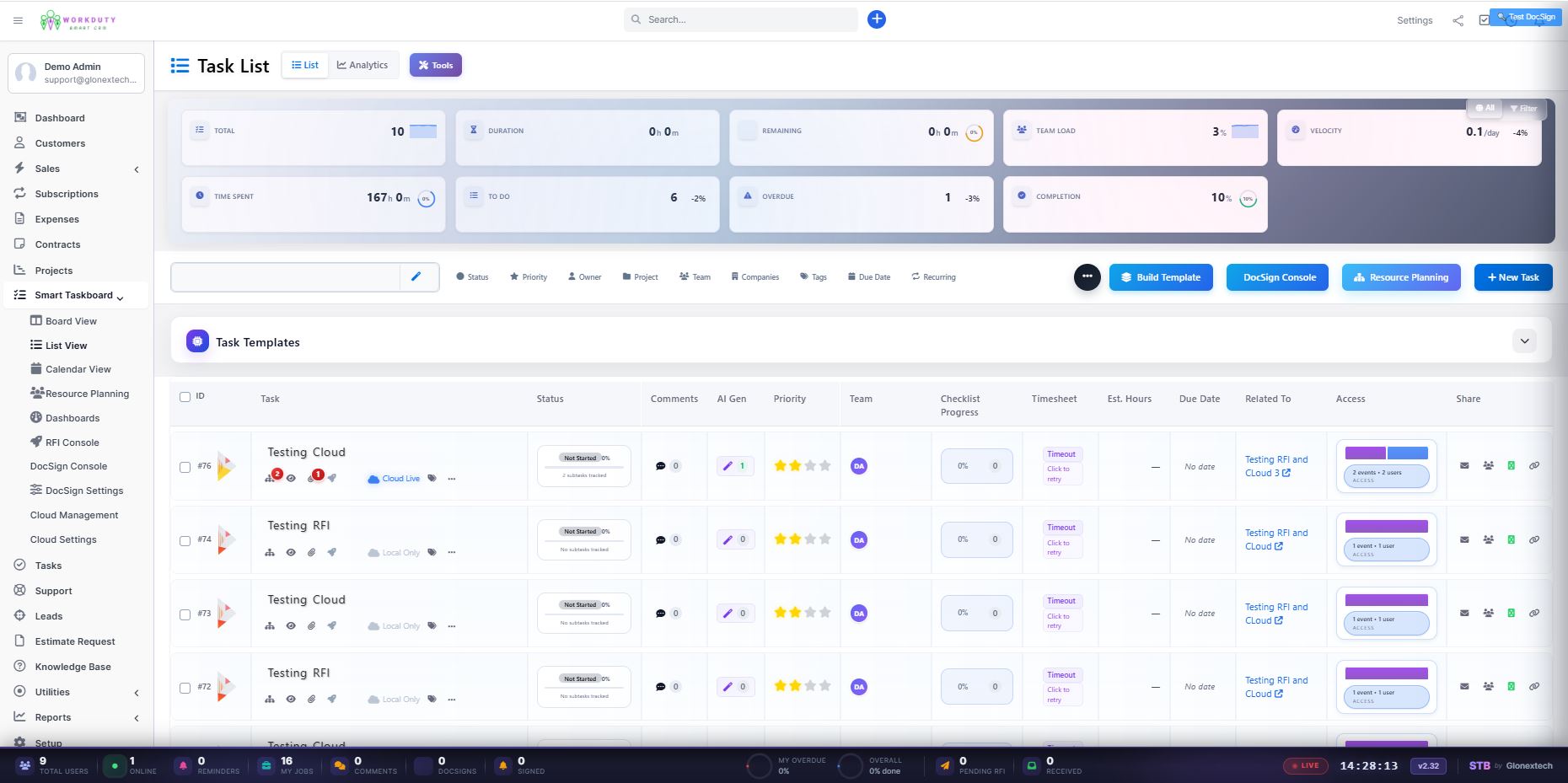
WordDuty Task view
Smart Intuitive Design

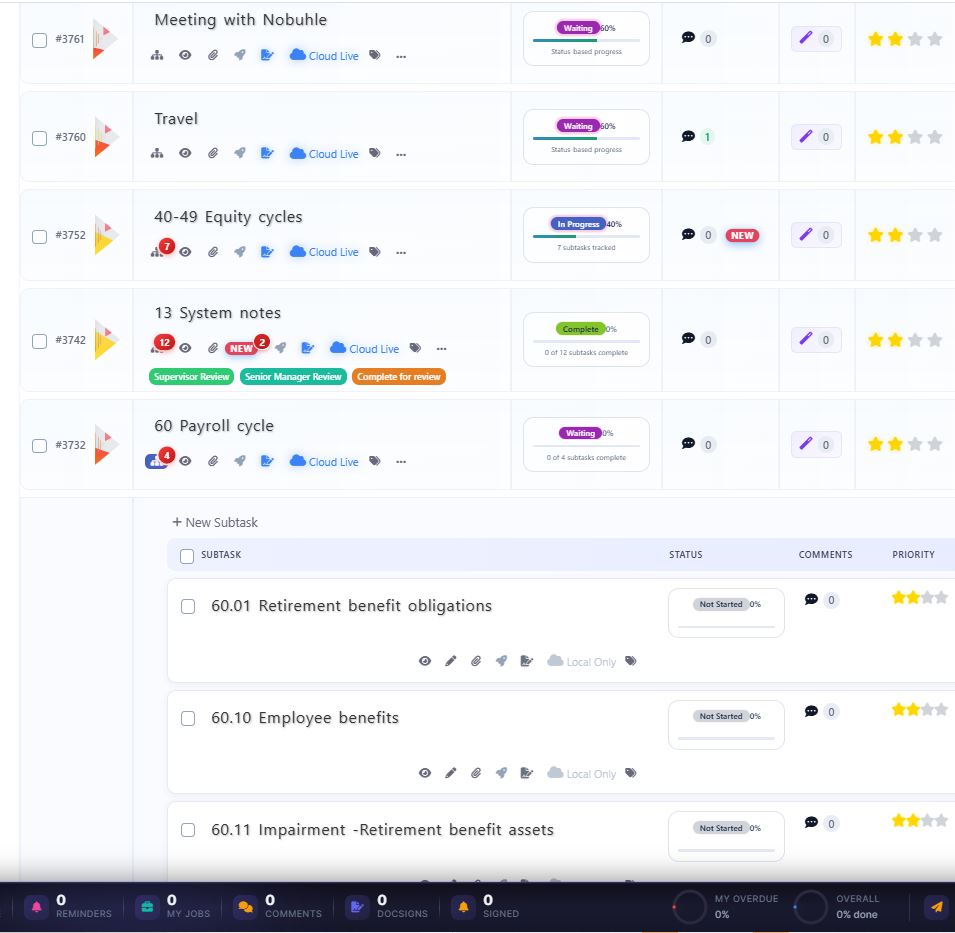
Each interactive icon in the tasklist is a visual gateway withlive content stats to a focused, contextual modal—a mini-application that delivers specific functionality or insight without navigating away from the tasklist.

  • Reduced Context Switching: No need to jump between “Projects,” “Timesheets,” and “Reports” modules.

The WorkDuty Smart Intuitive Tasklist with Icon Modal Architecture is more than a feature—it’s a productivity paradigm shift. By embedding powerful, context-sensitive tools behind intuitive icons, it turns the humble task list into a central command center for intelligent project execution. This design directly supports WorkDuty’s mission to unlock predictive insights by making those insights immediately visible and actionable at the task level—where work actually happens.

workduty cloud sync
Private Cloud Connect

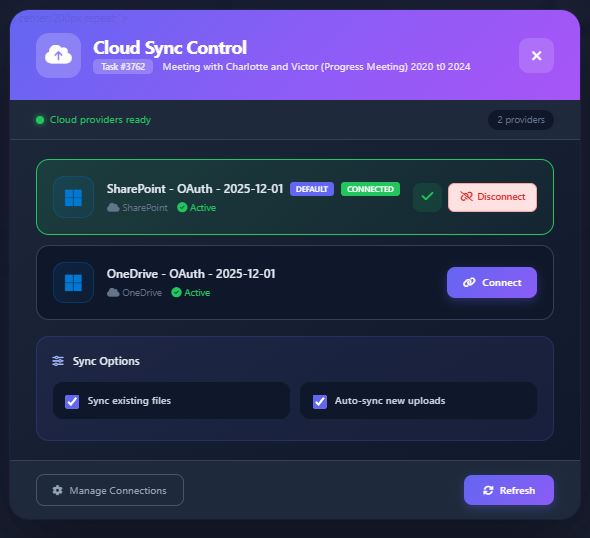
Project-Based Automated Storage Attachment is a system where each WorkDuty task automatically connects to the organization’s private cloud storage (Azure Blob, S3, GDrive, OneDrive, SharePoint) by creating a dedicated folder named after the task title within the project’s cloud directory. All task-related files, documents, and assets are automatically saved and organized in real-time.


This Task-to-Cloud Storage Integration creates a seamless bridge between task management and document collaboration. By automatically provisioning organized cloud storage for every task, it eliminates the chaos of scattered files and manual organization while leveraging existing enterprise cloud investments.

WorkDuty ensures that every task has a home for its digital assets

Real-Time Collaboration

Live commenting and @mentions keep discussions task-focused, while version history prevents conflicts. This eliminates email chains and version chaos, turning static file storage into a dynamic, co-creative environment that accelerates review cycles and decision-making.

AI Task Creation & Checklist

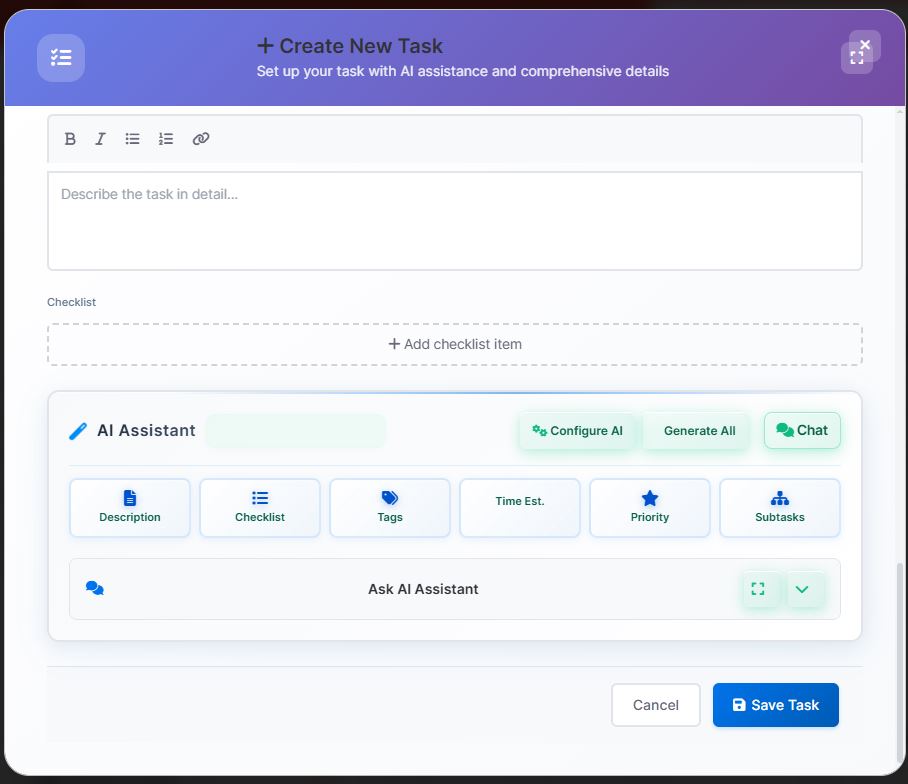
WorkDuty’s AI Task Creation and Checklist system acts as an intelligent project assistant that captures human intent and transforms it into executable work plans. By learning from organizational patterns and anticipating needs, it ensures teams start with complete, optimized task structures—dramatically reducing planning overhead while increasing execution success rates.

Integrations and Rest API

Connect seamlessly with tools like email, calendars, marketing platforms, and more. WorkDuty now integrates seamlessly with leading social media management and accounting platforms, creating a unified workflow for marketing execution, financial tracking, and campaign reconciliation—all within the task management environment.

How It’s Work

Journey Begins Here: Inside Our Process.

image
image
image
Work Smarter: Automations, Tasks & DocSign Built-In

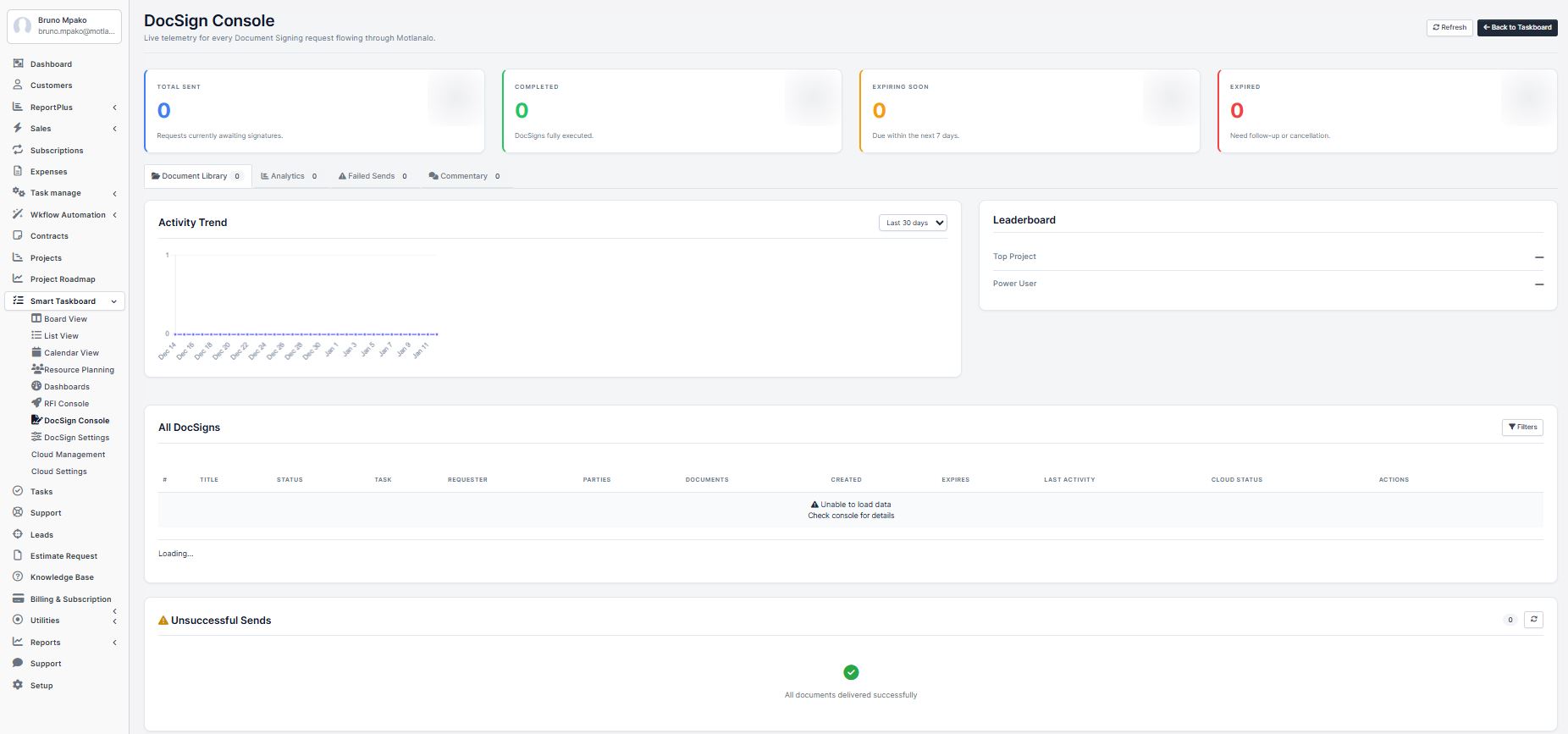
Transform your  daily task into an intelligent automation hub where routine work flows automatically and documents get signed seamlessly within each task—eliminating manual steps, chasing approvals, and switching between tools.

Project Gantt, Milestones, Invoicing & RFI Management

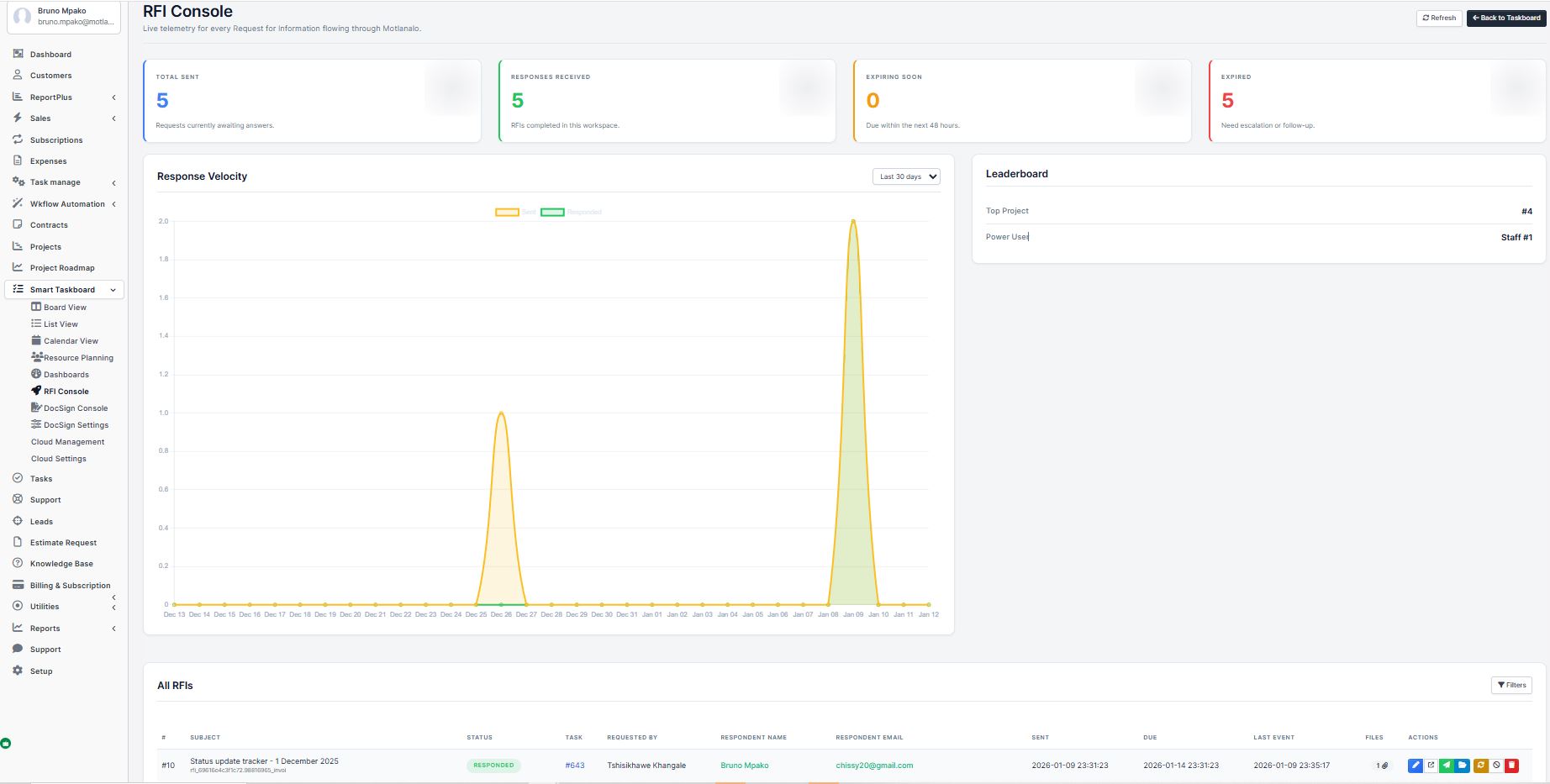
WorkDuty’s Project combines visual Gantt charting, milestone tracking, automated invoicing, and client Request for Information (RFI) management into a unified platform—connecting planning, execution, and client communication in real-time.

AI-Enriched Task, Central Execution & Intuitive Analytics

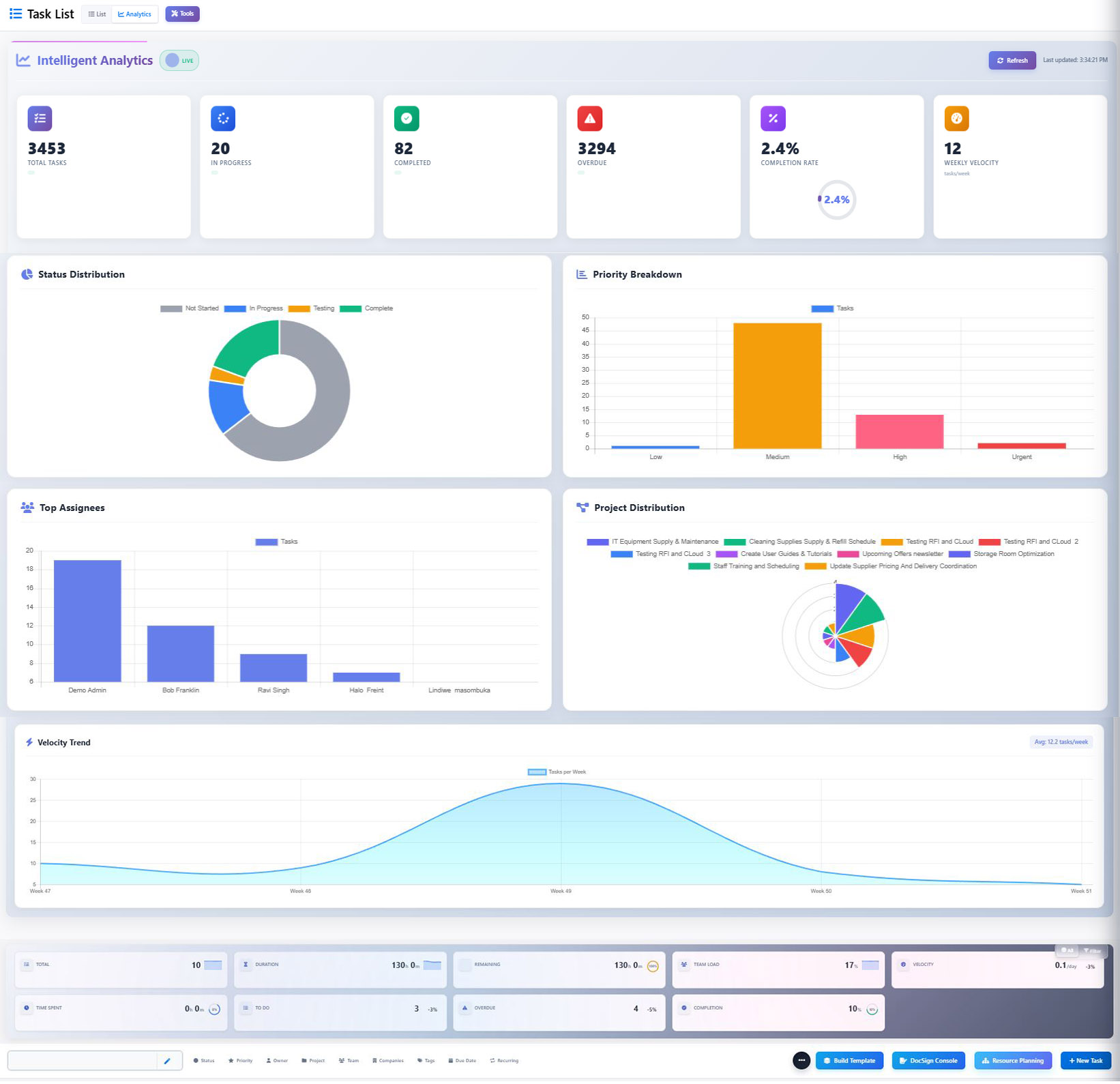
WorkDuty’s AI Business Intelligence Engine transforms raw data into intelligent workflows, predictive task creation, automated lead nurturing, and intuitive analytics—creating a self-optimizing system that learns from every interaction to drive better outcomes.

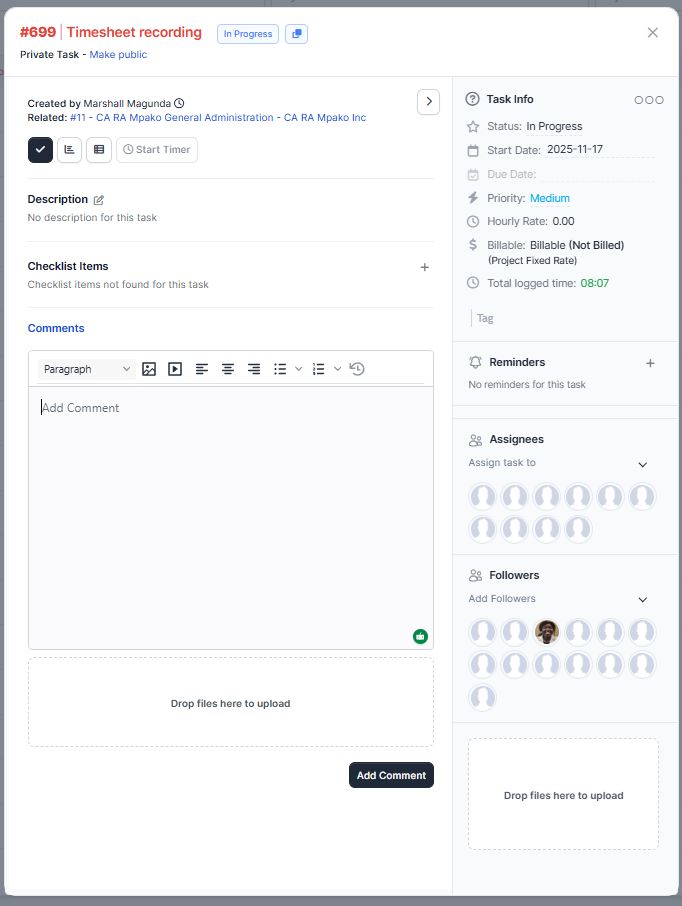
Total Flexibility, Simple Task Detail Page, Easy to Work.

WorkDuty proves that powerful doesn’t have to mean complicated. By combining total flexibility with a simple task detail page and intuitive interaction design, we’ve created a platform that: Works immediatel, Adapts to you, Grows with need, Connects everything, Feels familiar – while being remarkably capable.

Work Duty Task Detail View
Demo

The Smarter Choice for Your Business

Workduty-crm

Manage Contacts Easily

Automate Sales Processes

Track Performance in Real Time

Complete Project Management

Testimonial

Loved by builders, trusted by teams

“AAt CA RA Mpako, our audit compliance workflows involve hundreds of RFIs and document sign-offs monthly. Before WorkDuty, our team wasted 20+ hours weekly chasing signatures and tracking document status. Now, with integrated RFI management and document signing workflows, we’ve reduced audit completion time by 35%. The automatic escalation feature for overdue responses has been a game-changer – our partners no longer miss deadlines because the system chases stakeholders for us. What used to take 4-week audit cycles now completes in 2.5 weeks with better documentation trails for regulatory compliance. WorkDuty hasn’t just improved our efficiency; it’s transformed how we manage client engagements entirely.”

Tshisikhawe Madel

Senior Audit Partner

“As a plumbing service provider working with insurance companies, we manage 50-70 emergency jobs daily with strict SLA requirements. WorkDuty’s task management and resource planner helped us reduce response times from 4 hours to 90 minutes average. The real-time tracking lets insurance adjusters see exactly where our technicians are and job status, which improved our client satisfaction scores by 42%. The mobile interface for our field teams means they receive jobs instantly, upload photos with sign-offs, and move to the next assignment without paperwork delays. We’ve grown 200% in two years without adding administrative staff, all thanks to streamlined operations through WorkDuty”

John Muabe

Manageing Director

WhatsApp Image 2026-01-12 at 22.05.28

“Waste management requires precise scheduling, compliance tracking, and route optimization. WorkDuty transformed our 35-truck fleet operations from chaotic to controlled. The Gantt chart view for route planning alone saved us 15% in fuel costs by optimizing sequences. But the real value came from compliance management – automatically scheduling vehicle maintenance, driver certification renewals, and permit expirations. When regulators request documentation, we now produce complete audit trails in minutes instead of days. Our on-time collection rate improved from 76% to 94%, and customer complaints dropped by 68%. WorkDuty made us not just more efficient, but more profitable and compliant.”

Patrick L. Kadila

Managing Director

“Distribution is all about timing and coordination. With 12 warehouses and 150 delivery routes daily, one missed task creates ripple effects. WorkDuty’s project planning suite gave us visibility we never had before. Now we see potential bottlenecks 48 hours in advance and can reallocate resources proactively. The milestone tracking with automated invoicing cut our payment cycles from 45 to 21 days – that’s huge cash flow improvement. What impressed me most was how quickly our warehouse staff adopted it – from drivers to inventory managers, everyone uses the mobile app intuitively. We’ve reduced stockouts by 30% and improved on-time deliveries to 98.7% since implementation.”

G Charles

Logictics Cordinator

“Anolanga Works Construction projects live and die by RFI management. Before WorkDuty, RFIs got lost in email chains, causing costly delays. Now every RFI is a tracked task with automatic escalation. The integration with our accounting system means approved RFIs immediately update project budgets and trigger change orders. We’ve reduced RFI response time from 7.2 days to 1.8 days average. But the biggest win? The predictive analytics identified that 80% of our delays came from electrical subcontractor RFIs – data we used to renegotiate contracts and improve planning. WorkDuty didn’t just help us manage projects; it helped us understand and fix our business model”

Takalani Mabaya

Property Developer

“As a 150-person custom software development agency, we were drowning in JIRA, Asana, and Slack chaos. WorkDuty unified our entire workflow. The AI task creation alone saved each project manager 10 hours weekly—automatically breaking down client requirements into developer-ready tasks with accurate time estimates. The integrated DocuSign for SOWs and change orders reduced contract cycle time from 14 days to 2 days. But the game-changer was resource planning: we now see capacity conflicts 3 weeks ahead and can proactively adjust. Our billable utilization jumped from 62% to 78% in 6 months, adding $1.2M annually to our bottom line without hiring.”

Luke Macdonald

IT Infrastructure Provider

We implement enterprise-grade security with multiple layers of protection: Encryption: AES-256 encryption for data at rest, TLS 1.3 for data in transit Access controls: Role-based permissions with SAML/SSO integration Infrastructure security: SOC 2 Type II compliant data centers with 24/7 monitoring Compliance: GDPR, CCPA, HIPAA-ready configurations available Audit trails: Complete logs of all system access and data changes Penetration testing: Regular third-party security assessments Data isolation: Customer data logically segregated in multi-tenant architectureYou can automate tasks like generating invoices, creating reports, sending reminders, and managing workflows with simple text commands.
Data location: Choose between US, EU, or APAC regions during setup. All data stays within selected region. Access control: Only your authorized users can access your data. WorkDuty employees cannot access customer data unless explicitly granted permission for support purposes (with your approval). Subprocessors: All third-party vendors are vetted with DPAs (Data Processing Agreements). Data sovereignty: For EU customers, data never leaves EU data centers. For regulated industries, private cloud options available.
We ensure business continuity with: Automated backups: Multiple daily backups with 30-day retention Geographic redundancy: Data replicated across multiple availability zones Recovery objectives: RTO (Recovery Time Objective) < 4 hours, RPO (Recovery Point Objective) < 15 minutes Disaster recovery testing: Quarterly DR drills with documented results Customer backups: Self-service backup download option Infrastructure resilience: 99.9% uptime SLA with financial backing
Absolutely. We follow data portability principles: Self-service export: Download all tasks, projects, files, and analytics in standard formats (JSON, CSV, PDF) Complete data package: Includes metadata, relationships, comments, and attachments No lock-in: No fees or restrictions on data export Migration assistance: For enterprise customers, we provide migration support to alternative platforms Deletion option: Full GDPR and POPI -compliant data deletion upon request (with configurable retention periods)
WorkDuty's AI is designed with one principle: Your business secrets stay yours. We provide helpful automation through smart retrieval and pattern matching without ever analyzing your sensitive content. It's AI that assists without intruding, suggests without snooping, and helps without learning your confidential information. This approach means you might not get "smarter" AI features like content generation or deep analysis, but you get something more valuable: complete privacy assurance that your proprietary information remains exclusively yours. For customers who want stronger privacy guarantees: We offer signed agreements confirming our AI will never analyze, process, or learn from your sensitive business information, with substantial financial penalties for violation. Our "AI-As-Assistant, Not-Analyst" Model We fundamentally do not analyze, process, or learn from your content. Instead, our AI serves as a smart retrieval system that respects your data boundaries completely. What Our AI Actually Does: 1. Task Creation Assistance: Only processes metadata (task titles, tags, project names—not descriptions or attachments) Matches patterns from your own previous tasks (internal retrieval only) Example: "Create marketing campaign task" → Finds 5 similar past marketing tasks in your system → Suggests similar structure Never reads or analyzes campaign details, content, or sensitive information
All integrations follow strict security protocols: OAuth 2.0: No credential storage—users authenticate directly with service providers Limited permissions: Minimum necessary scope for each integration Token encryption: All access tokens encrypted with rotating keys Regular security reviews: All integration partners undergo annual security assessments Audit logs: Complete tracking of all integration activities Revocation: Instant disconnect capability with token invalidation
integration

Over 400 Modular extensions and Seamless Integration with your Workflow and Processes.

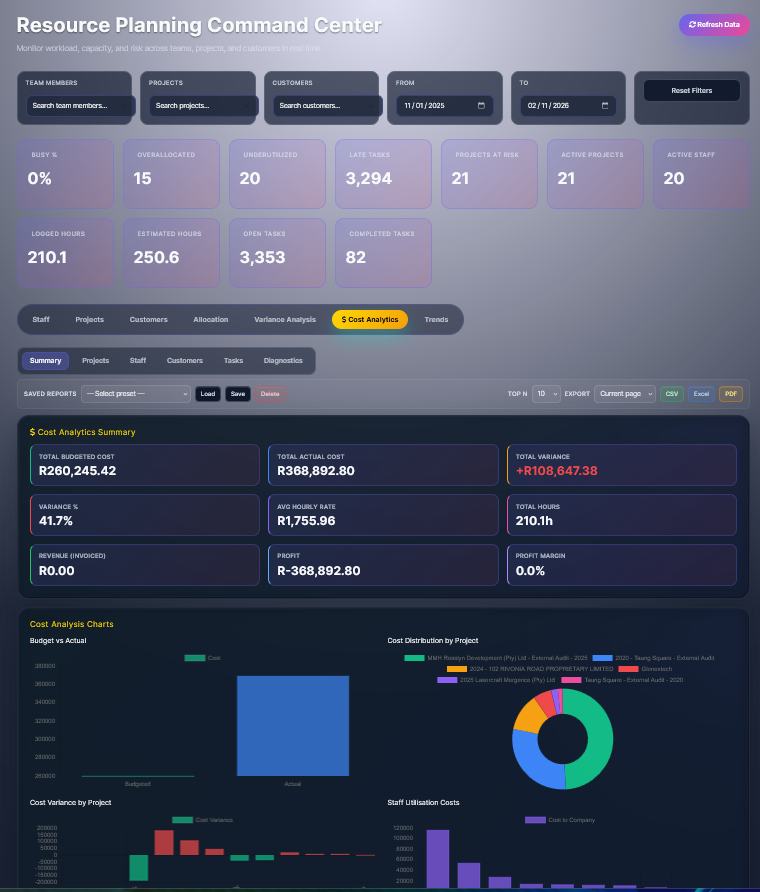
he built-in cost variance analysis in WorkDuty provides the critical historical data and real-time visibility needed for predictive models. By analyzing the variances (the differences between budgeted and actual labor costs), you are already identifying patterns, inefficiencies, and root causes.

To move from descriptive analysis to predictive power, you would:

  1. Use Historical Variance Data as a Training Set: The system’s records of past variances (e.g., consistent overtime in certain roles, budget overruns on specific project types) become the data used to train predictive algorithms.

  2. Identify Leading Indicators: Variance analysis highlights key drivers of cost overruns (e.g., frequent schedule changes, specific skill shortages). These drivers become the signals a predictive model watches for.

  3. Enable Proactive Alerts: Instead of just reporting last week’s overrun, the system could forecast next week’s potential overrun based on current schedules, project phase, and historical trends, allowing for preemptive adjustments.

  4. Optimize Future Budgeting: Predictive insights derived from variance patterns lead to more accurate, data-driven budgeting and resource allocation for future projects or periods.

In short: The cost variance analysis is not just considered for this purpose—it is essential raw material. WorkDuty’s built-in functionality provides the structured data foundation upon which predictive analytics for labor cost management are built. The next step is applying advanced analytics to that data to forecast and prevent future variances.

workduty-variance

Why This is the Key to Predictive Insights

When you systematically analyze the variance between these two data sets over time, you move from simple reporting to predictive intelligence:

  1. Pattern Recognition: You can identify that “Project Type X” consistently takes 15% more hours than budgeted, or that “Employee Group Y” is consistently under-forecasted.

  2. Root Cause Analysis: You can drill down to see if overruns are due to:

    • Poor Estimating: Budgets are consistently unrealistic.

    • Scope Creep: Additional, unplanned work is being performed.

    • Skill Gaps: Work is taking longer because the assigned personnel lack experience.

    • Process Issues: Waiting times, rework, or administrative tasks are inflating hours.

  3. Forecasting Future Projects: Armed with these patterns, you can create more accurate budgets for similar future projects, using historical variance as a calibration factor.

  4. Proactive Alerts: A system can monitor real-time timesheet entries against the budget. If a task hits 80% of its budgeted hours in just 50% of the timeline, it can flag a potential future overrun before the budget is exhausted, allowing for early intervention.

Common Triggers for Flagging a Project as “At Risk”

When comparing Budgeted Hours vs. Actual Timesheet data, a project is often flagged as “At Risk” due to:

  1. Cost Variance (CV) Exceeding Threshold:

    • Actual Cost > Budgeted Cost by a significant % or amount.

    • Example: Project is 25% over its labor budget at the 50% completion mark.

  2. Schedule Variance (SV) Exceeding Threshold:

    • Actual Hours > Budgeted Hours for the current phase or timeline.

    • Example: 80% of the budgeted hours have been used, but only 50% of the project deliverables are complete.

  3. Burn Rate Deviation:

    • The rate at which hours are being consumed is faster than planned.

    • Example: Project is burning 120 hours/week vs. a budgeted 80 hours/week.

  4. Critical Milestone Missed:

    • A key deliverable or phase-gate date is missed, which is often linked to hours logged vs. plan.

  5. Resource Allocation Issues:

    • Planned key resources are not available, or unplanned, more expensive resources are being used (visible in timesheet cost rates).

Select the fields to be shown. Others will be hidden. Drag and drop to rearrange the order.
  • Image
  • SKU
  • Rating
  • Price
  • Stock
  • Availability
  • Add to cart
  • Description
  • Content
  • Weight
  • Dimensions
  • Additional information
Click outside to hide the comparison bar
Compare